
Introduction
The Time to Decimal Calculator is a simple yet powerful online tool designed to convert hours and minutes into decimal format within seconds. Instead of manually calculating time, this tool helps you instantly get accurate decimal values, which are widely used in payroll systems, billing, and time tracking.
Whether you are a freelancer, business owner, or employee, converting time into decimals can save effort and reduce calculation errors.
What is Time to Decimal Conversion?
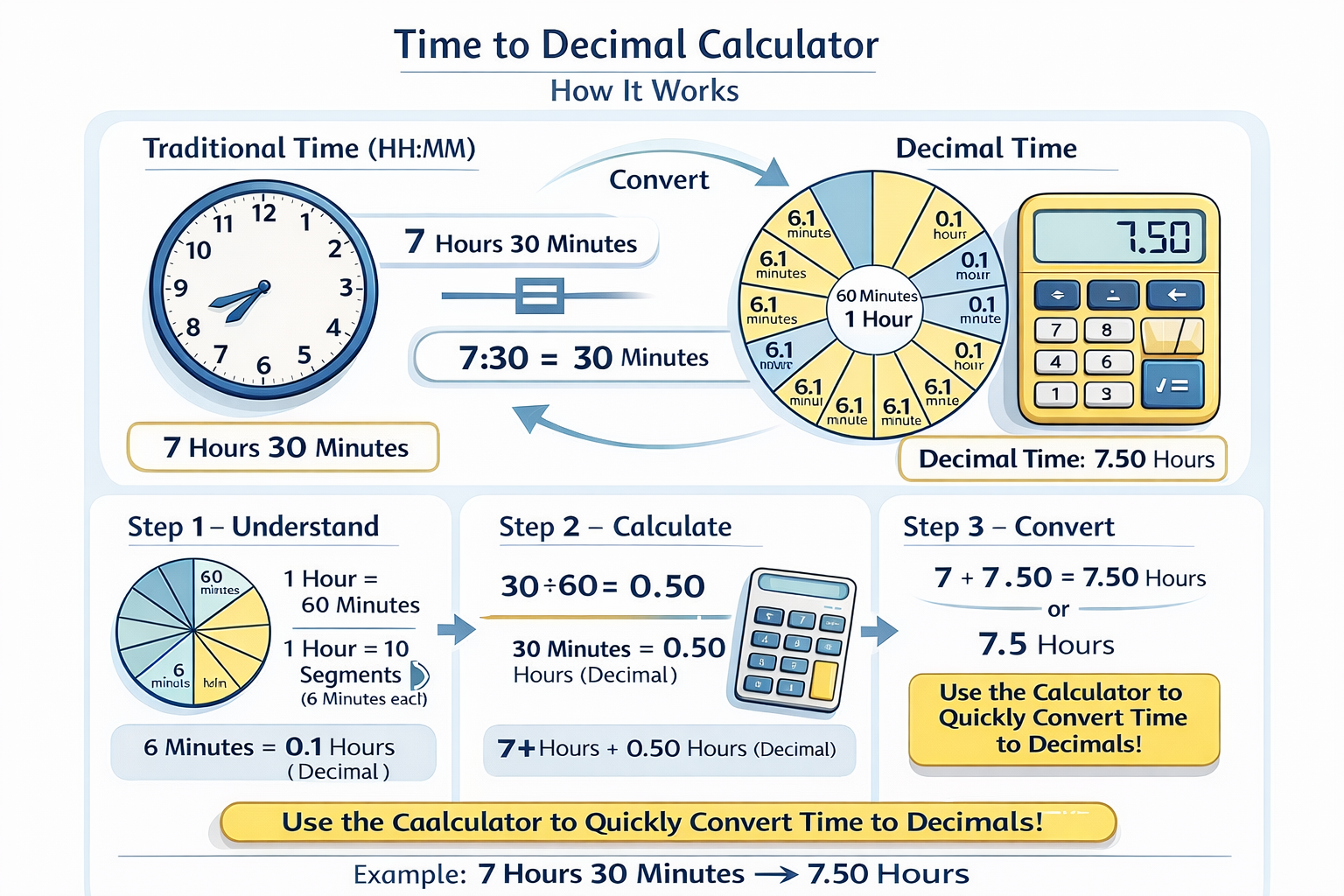
Time to decimal conversion means changing standard time (hours and minutes) into a single decimal number.
In daily life, time is usually written like:
- 1 hour 30 minutes
- 2 hours 45 minutes
However, many systems require time in decimal format, such as:
- 1 hour 30 minutes = 1.5 hours
- 2 hours 45 minutes = 2.75 hours
This conversion works because:
- 60 minutes = 1 hour
- So, minutes are divided by 60 and added to hours
The time to decimal calculator performs this calculation instantly without any manual effort.
Why Use a Time to Decimal Calculator?
Using a time to decimal calculator provides multiple benefits:
Accuracy
Manual calculations often lead to mistakes. This tool ensures precise results every time.
Time-Saving
No need to calculate minutes into decimals manually. Just enter values and get results instantly.
Payroll & Billing
Perfect for:
- Employee salary calculations
- Freelancer hourly billing
- Client invoices
Productivity Tracking
Track how much time is spent on tasks in a more structured and measurable format.
User-Friendly
The tool is simple, fast, and accessible for everyone—even beginners.
When Should You Use It?
You should use a time to decimal calculator when:
- Calculating work hours for payroll
- Creating invoices based on hourly rates
- Tracking project time
- Managing timesheets
- Converting time data for reports
Where is Time to Decimal Used?
Time to decimal conversion is widely used in:
- HR departments (salary processing)
- Freelancing platforms (hourly payments)
- Accounting systems
- Project management tools
- Business reporting systems
How to Use Time to Decimal Calculator
Using the calculator is very easy:
- Enter your hours
- Enter your minutes
- Click the Convert button
- Instantly get the decimal result
Formula Behind the Calculator
The time to decimal calculator works on a very simple mathematical formula. It converts minutes into decimal form and then adds them to the total hours. The formula used is:
Decimal Time = Hours + (Minutes ÷ 60)
For example, if you enter 3 hours and 45 minutes, the calculator first converts the minutes into decimal by dividing 45 by 60, which equals 0.75. Then, it adds this value to the hours. As a result, the final output becomes 3.75 hours.
Real-Life Examples
Understanding time to decimal conversion becomes easier with real-life examples. For instance, if you have 1 hour and 15 minutes, it converts into 1.25 hours. Similarly, 2 hours and 30 minutes becomes 2.50 hours, and 5 hours 10 minutes converts to approximately 5.17 hours.
These examples clearly show how the calculator simplifies time calculations and removes the need for manual conversions.
Importance for Professionals
The time to decimal calculator plays an important role in professional environments where accurate time tracking is essential. HR managers use it to process employee payroll correctly, ensuring there are no calculation errors. Freelancers rely on it for precise hourly billing when working with clients.
Accountants also benefit from this tool by performing accurate financial calculations, while project managers use it to track time spent on tasks and improve productivity. Overall, this tool eliminates confusion and makes daily operations more efficient.
Final Thoughts
The Time to Decimal Calculator is a must-have tool for anyone dealing with time-based calculations. It simplifies complex conversions, saves time, and ensures accuracy in professional tasks.